Windows PC and Desktop Repair in Burlington, VT
Computer Repair for the Problems That Slow You Down
When your Windows desktop is slow, won’t turn on, keeps crashing, or overheats, Computers for Change can help. We repair desktops, all-in-ones, and custom-built gaming PCs, with most repairs starting at $99 plus parts.
We’ll assess the problem, explain your options, and provide a quote before repair work begins.
Looking for help with a Windows laptop? Visit our Laptop Repair page.
PC Problems We Can Help Fix
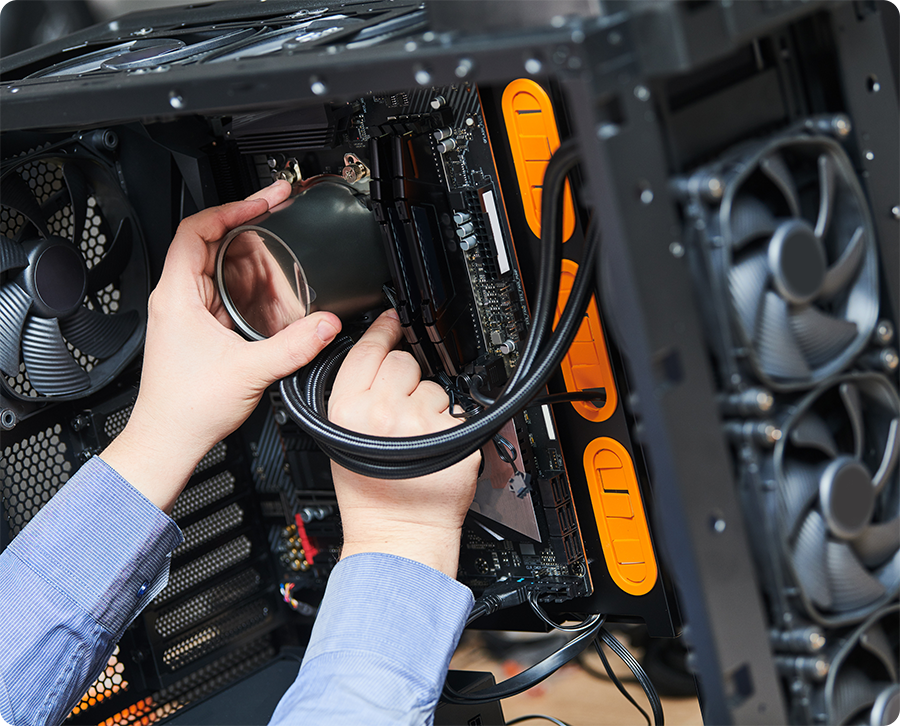
Not every desktop problem requires a new computer. Our technicians diagnose and repair hardware and software issues on Windows desktops, all-in-ones, and gaming PCs.
Desktop & All-in-One Repair
Whether your desktop won’t power on or has become frustratingly slow, we’ll diagnose the problem and explain the available repair options. Services include hardware replacement, Windows troubleshooting, performance upgrades, cooling issues, and more.
Gaming PC Repair
Gaming computers can develop problems with cooling, power supplies, graphics cards, storage, RAM, and other components. We service gaming desktops and custom-built PCs and can also help with upgrades and hardware installation.
Computer Upgrades
Sometimes your computer doesn’t need to be replaced. An SSD, additional RAM, or another hardware upgrade may improve performance and extend the useful life of your PC. We’ll help you determine whether an upgrade makes sense for your computer.
Fresh Windows Installation for Suspected Malware
If you suspect a virus or malware problem, we can assess the computer and recommend a fresh Windows installation. Our approach is a fresh start rather than traditional virus-cleaning software. Back up important files beforehand; backup is a paid add-on and is not included automatically.
Windows & Software Services
We troubleshoot Windows problems, reinstall Windows when needed, and help resolve software and operating system issues. We’ll explain what needs to be done before starting the work.
Is Your Computer Doing This?
PC problems don’t always make it obvious what needs to be repaired. If you’re experiencing one of these issues, bring your computer in for an evaluation.
If you’re not sure what’s wrong, that’s okay. You don’t need to diagnose the problem yourself. We’ll evaluate the computer and explain what we find.
Straightforward PC Repair in Burlington
Getting a computer repaired shouldn’t mean committing to work you don’t understand. We focus on giving customers clear information so they can make an informed decision about their computer.
Trust Signals:


Windows Computer Repair for Major Brands
We work on Windows computers from many of the brands Burlington customers use every day.
Lenovo
ThinkCentre, IdeaCentre, Legion desktops, and other Lenovo desktop PCs.
Dell
XPS desktops, Inspiron desktops, OptiPlex, and other Dell desktop computers.
HP
Pavilion desktops, EliteDesk, and other HP desktop computers.
ASUS, Acer, MSI & More
We repair supported ASUS, Acer and MSI desktops, Microsoft Surface Studio all-in-ones, and custom-built Windows PCs.
What to Expect When You Bring In Your Computer
You shouldn’t have to guess what you’re paying for or approve a repair you don’t understand. We keep the process straightforward from diagnosis through pickup.
Bring In Your Computer
Walk-ins are welcome Tuesday through Saturday at our Burlington shop. Bring your desktop and relevant cables, along with any information about the problem you’ve noticed.
We Diagnose the Problem
We’ll evaluate the computer to determine what’s causing the issue. If the problem isn’t immediately obvious, we’ll let you know what additional diagnosis may be needed.
You Get a Quote
Before repair work begins, we’ll explain what we found and provide a quote. You can review your options and decide whether you’d like to move forward.
We Complete the Repair
Once you approve the repair, we’ll work on the computer using the appropriate replacement parts or software services.
Pick Up Your Computer
We’ll let you know when the repair is ready. Same-day or next-business-day repair may be possible when the necessary parts are in stock and repair complexity allows. Diagnostics typically take 24–48 hours, and desktop diagnostics may take longer. We’ll explain the expected timing after assessment.
Is It Better to Repair Your Computer or Replace It?
Repair isn’t always the right answer. If your computer is too old, needs an expensive repair, or no longer meets your needs, we’ll explain that rather than recommending a repair that doesn’t make sense.
Computers for Change also carries shop-tested refurbished Windows laptops with a 1-year hardware warranty. If you decide to replace your computer, we can also help with data transfer.
Frequently Asked Questions
Do You Repair Gaming PCs?
Yes. We repair gaming desktops and custom-built gaming PCs, including cooling problems, graphics card installation, RAM and SSD upgrades, power supply replacement, and other hardware issues.
How Much Does PC Repair Cost?
Most repairs start at $99 plus parts. The final cost depends on the problem and the parts or services required. We’ll provide a quote before beginning repair work.
How Long Does a PC Repair Take?
Same-day or next-business-day repair may be possible when the necessary parts are in stock and repair complexity allows. Diagnostics typically take 24–48 hours, and desktop diagnostics may take longer. We’ll explain the expected timing after assessment.
Can You Repair a Computer That Won’t Turn On?
Yes. A computer that won’t power on can have several possible causes, including hardware, power, or software problems. We’ll diagnose the issue and explain your repair options.
Can You Fix a Slow Windows Desktop?
Often, yes. Slow performance can be caused by software issues, aging storage, insufficient memory, or other hardware problems. Depending on the computer, an SSD or RAM upgrade may also improve performance.
Do You Remove Viruses and Malware?
For suspected virus or malware problems, we recommend a fresh Windows installation rather than traditional virus-cleaning software. We’ll explain the work and charges before proceeding. Back up your files first, or ask about our paid backup service.
Do You Reinstall Windows?
Yes. We provide Windows reinstalls, operating system recovery, and software troubleshooting when needed. We’ll discuss the service with you before beginning.
Do I Need an Appointment for PC Repair?
No. Walk-ins are welcome Tuesday through Saturday for most repair drop-offs. You can bring your computer to our Burlington shop and we’ll help determine the next step.
Can You Transfer My Files to Another Computer?
Yes. If you purchase one of our refurbished laptops, data transfer is available for $60 with your purchase, compared with the standard $120 price. We can also discuss data recovery and transfer options for repair customers.
Get a PC Repair Quote in Burlington
Don’t spend hours trying to figure out what’s wrong with your computer. Tell us what’s happening, and we’ll help you understand the problem, your repair options, and what the repair may cost before work begins.
Prefer to talk? Call (802) 578-9687 or stop by 196 College Street, Burlington, VT.