Why Is My Mac Running Slow?
Common Reasons Your Mac Is Running Slow
A slow Mac doesn’t always mean it’s time to replace it. Many performance problems have straightforward solutions you can try yourself before paying for a repair.
This guide explains the most common causes of a slow Mac, what you can check at home, and when it’s worth bringing your computer to Computers for Change for professional service.

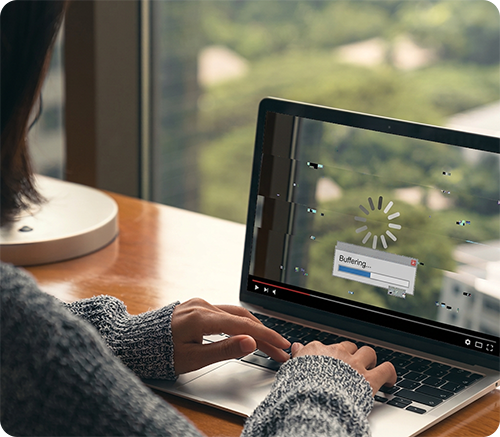
What Usually Causes a Slow Mac
Many slow Macs can be traced back to one of five common issues:
Working through these in order can help resolve many common performance problems.
1. Storage Is Nearly Full
macOS needs free space to perform everyday tasks like creating temporary files, managing memory, and installing updates. When storage gets too full, your Mac can slow down noticeably.
As a general guideline, aim to keep at least 10% of your storage free whenever possible.
2. Too Many Startup and Background Apps
Apps that automatically open when you sign in can use memory and slow down startup times. Cloud storage apps, messaging programs, and other background services are often the biggest offenders.
Review your Login Items in System Settings and disable apps you recognize and don’t need running automatically.
3. An Aging Hard Drive
If you have an older Intel Mac with a traditional hard drive, upgrading to a solid-state drive (SSD) can be one of the most noticeable performance improvements available.
Many older Macs feel significantly faster after an SSD upgrade, with quicker startup times, faster app launches, and smoother everyday performance.
4. Software That Needs Updating
Keeping macOS and your applications up to date can improve both performance and stability.
Before installing major updates, make sure you have a current backup in case something doesn’t go as planned.
5. A Specific App Is Misbehaving
Sometimes the Mac itself isn’t the problem—it’s a single application using far more processing power than it should. Activity Monitor can help identify apps that are consuming excessive CPU resources.
Closing, updating, or reinstalling the app may resolve the issue.
Other Things Worth Trying
Before scheduling a repair, try these simple troubleshooting steps. They often resolve smaller performance issues without any additional work.
When a Slow Mac May Need Professional Repair
If you’ve worked through these steps and your Mac is still running slowly, the problem may require a closer look.
Computers for Change can assess issues involving storage, software, operating system performance, aging hardware, and other components. Depending on the Mac model and the cause of the slowdown, the solution may include an SSD upgrade, storage cleanup, software troubleshooting, macOS reinstallation, or another repair.
Most repairs start at $99 plus parts, and we’ll explain your options before repair work begins.
What to Expect When You Bring In Your Mac
You don’t need to know exactly what’s wrong before you visit. We’ll help identify what’s causing the slowdown and explain your options before you commit to a repair.
We Assess Your Mac
We’ll look at the Mac’s storage, software, performance, and hardware to identify potential causes of the slowdown.
We Identify the Problem
The issue could be something simple, such as limited storage or unnecessary background software, or something that requires a hardware repair or upgrade.
We Recommend the Right Solution
Depending on what we find, we may recommend software troubleshooting, storage cleanup, an SSD upgrade, macOS services, or another repair.
You Get a Quote
We’ll explain the recommended work and provide a quote before repair work begins. You can then decide whether repairing or upgrading the Mac makes sense.
We Complete the Repair
Once approved, we’ll complete the repair and let you know when your Mac is ready. Many repairs can be completed the same day or by the next business day when parts are available.
Frequently Asked Questions
Why Is My Mac Running So Slow All of a Sudden?
A sudden slowdown is often caused by a full storage drive, too many background apps, a software update running, or a specific app using excessive system resources. Working through the steps in this guide can help identify the cause before you bring your Mac in for service.
Will an SSD Upgrade Make My Mac Faster?
If your Mac still uses a traditional hard drive, an SSD upgrade is one of the biggest performance improvements you can make. Everyday tasks like starting up, opening applications, and browsing the web become noticeably faster.
If your Mac already has an SSD, storage cleanup or software troubleshooting may provide a better improvement.
How Much Free Storage Should My Mac Have?
Try to keep at least 10–15% of your storage free, macOS relies on available space for temporary files, virtual memory, and system processes. When your drive is nearly full, performance can slow down significantly.
Why Is My M1, M2, or Newer Mac Running Slow?
On newer Apple silicon Macs, slow performance is often caused by limited free storage, a resource-heavy application, background syncing, or software issues. Identifying the likely cause can help determine the right fix or next step.
When Should I Bring My Mac in for Repair?
If you’ve cleared storage, checked startup apps, installed updates, and your Mac is still running slowly, it may be time for a professional assessment.
We can assess possible hardware issues, perform SSD upgrades where appropriate, troubleshoot software problems, and help you compare repairing your Mac with replacing it.
Related Services and Guides
Mac Repair
Learn about our Mac repair services, including hardware repairs, software troubleshooting, and performance upgrades for desktop Macs.
View Mac Repair Services
MacBook Repair
See the MacBook Air and MacBook Pro repairs we offer, from battery and screen replacements to storage upgrades and performance improvements.
View MacBook Repair Services
How Much Does a Mac Repair Cost?
Understand what affects Mac repair pricing and when repairing your computer makes more sense than replacing it.
Read the guide
How to Check Your Mac for a Virus
Learn how to identify common Mac malware, adware, browser hijackers, and other security threats.
Read the guide
Refurbished Laptops
Looking for a replacement instead? Browse our professionally refurbished laptops backed by a 1-year hardware warranty.
Read the guide
Still Wondering Why Your Mac Is Running Slow?
Visit Computers for Change at 196 College Street in Burlington, or request a quote online.
We’ll help determine whether your Mac needs a software cleanup, SSD upgrade, another repair, or whether replacing it makes more sense.